Your pet’s daily care, in one place
See what is due, record each dose, and keep your pet’s treatments and care events organized.
See what’s new in Arya 3.1.0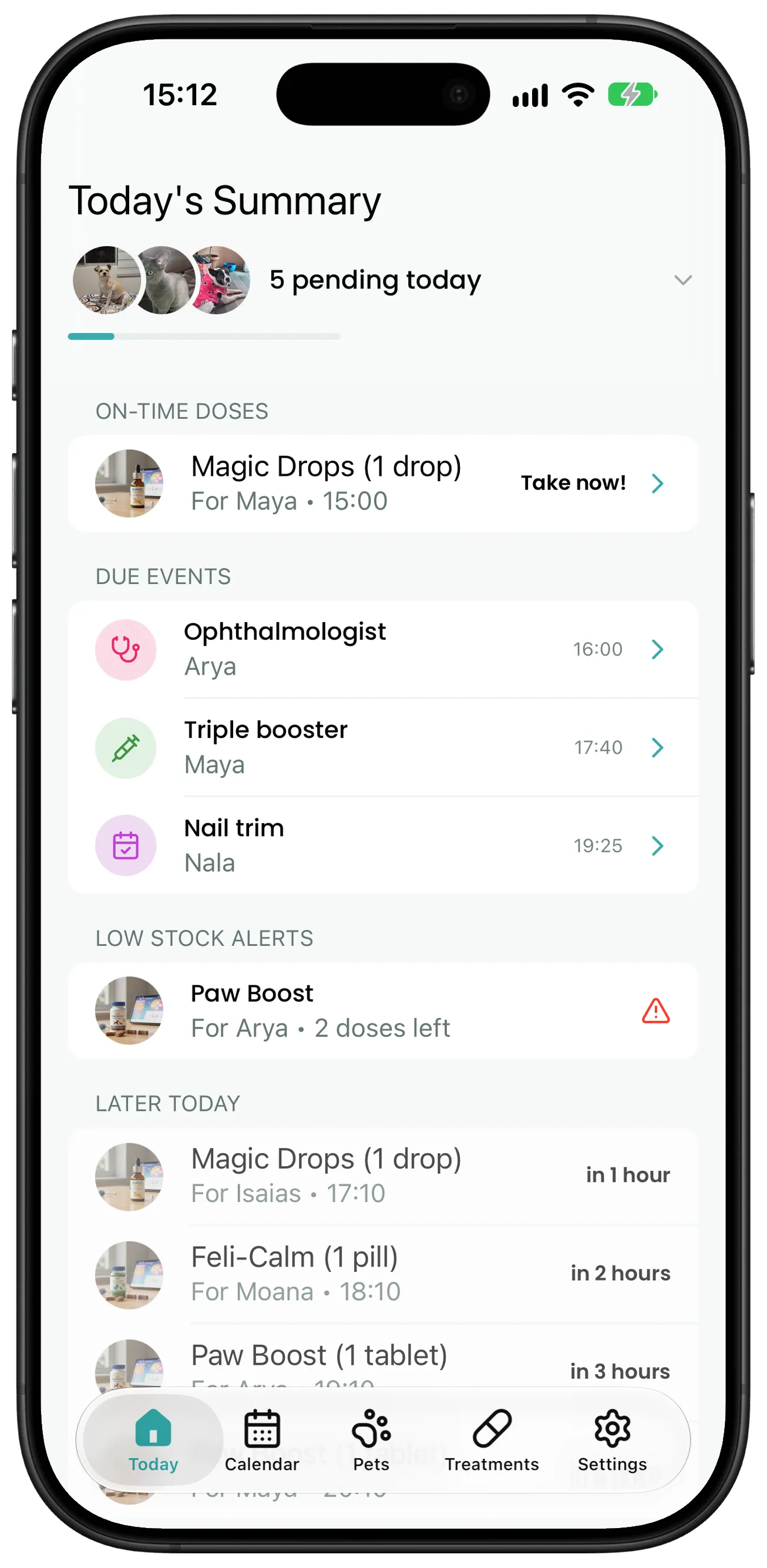
Know what’s due today
See pending, overdue, and upcoming doses alongside today’s care events. Pet and medication photos help you recognize who needs what.
When you record a dose, it leaves the pending list and stays in the treatment’s history. Premium low-stock alerts appear here too.
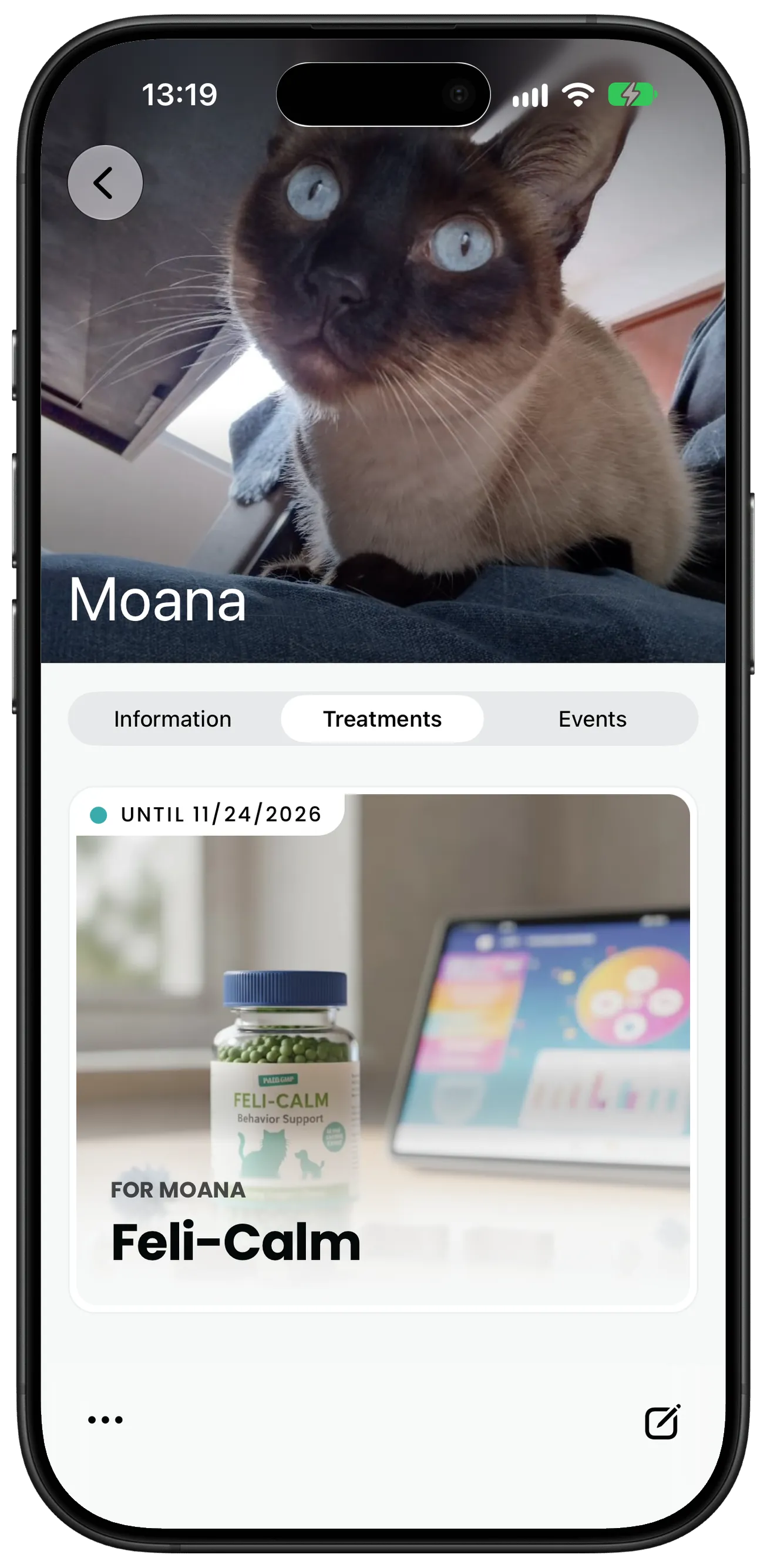
Your pet’s care, in one profile
Open a pet’s profile to see their photo, details, treatments, and care events. The larger photo folds into the header as you scroll, keeping the pet’s name visible while you check the information below.
Switch between information, treatments, and events without leaving the profile.
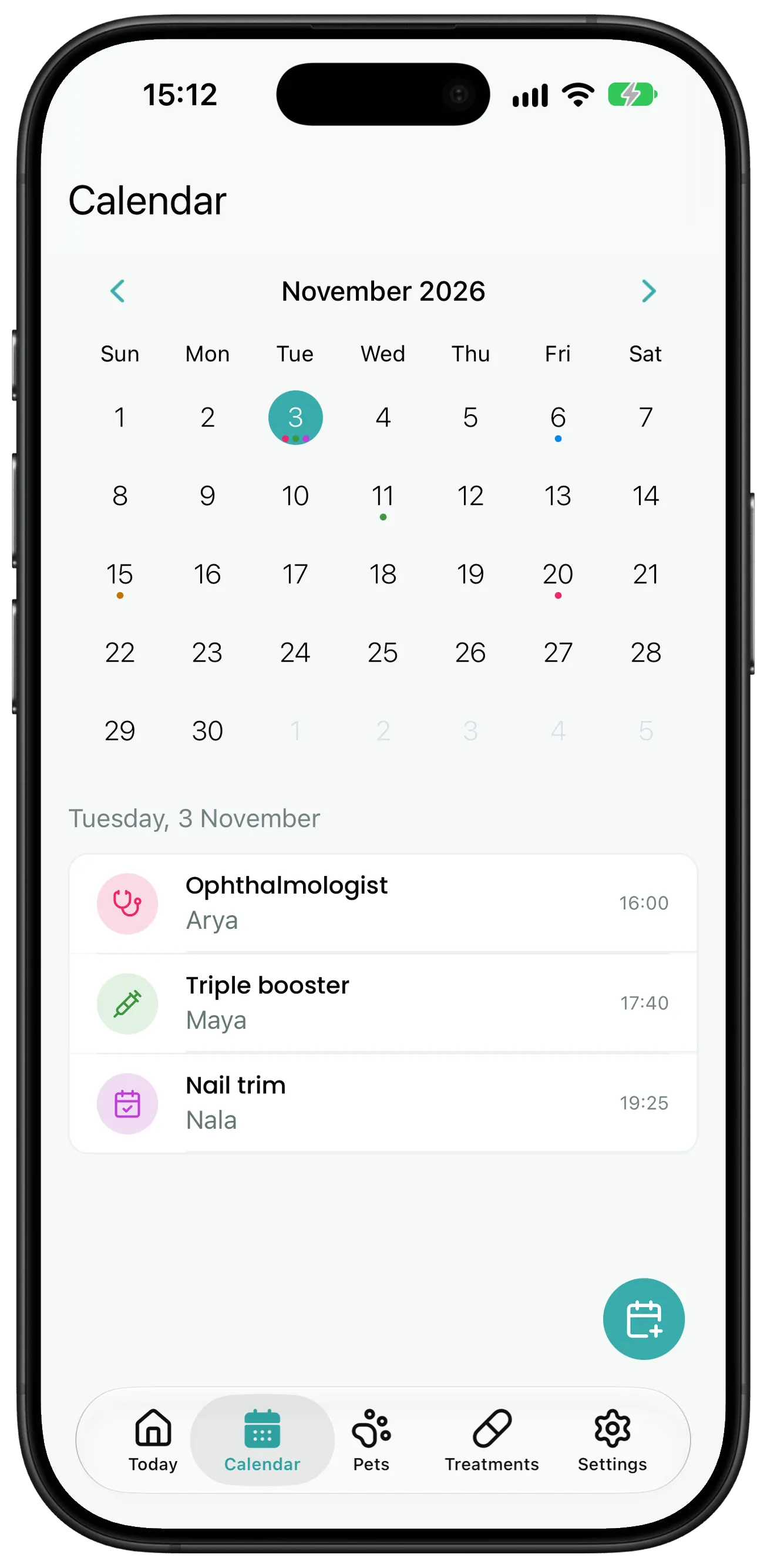
Keep vet visits and vaccines on your calendar
Add vaccines, vet appointments, baths, deworming, and other care dates to a color-coded calendar. Choose recurring events and advance reminders when you need them.
Review the selected day’s agenda and mark due events as completed from Today. The free plan includes up to 5 upcoming events; Premium unlocks unlimited events.
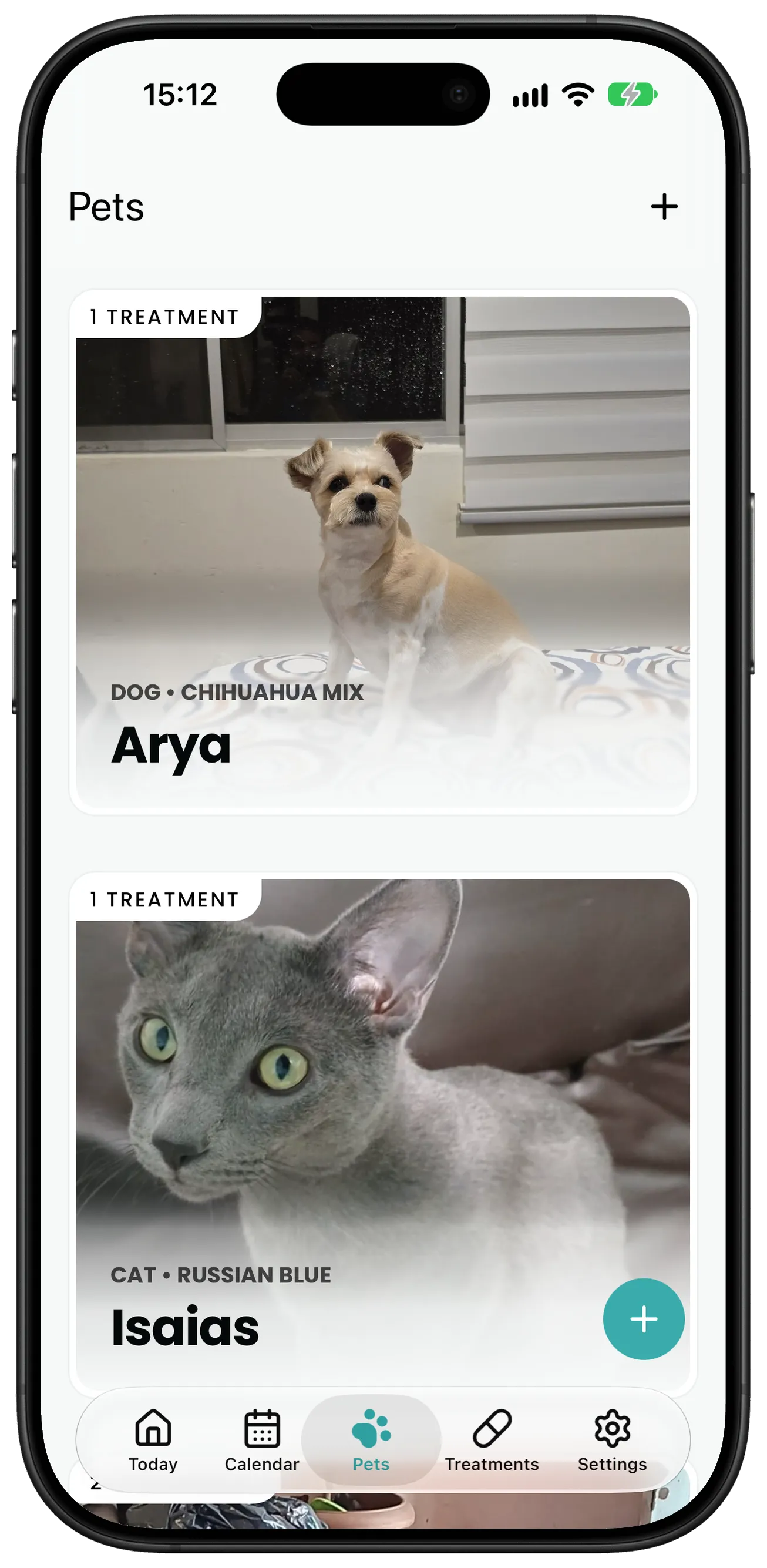
All your pets, one app
Recognize each pet by their photo and open their profile for treatments and care events. Keep dose records tied to the right pet.
Start free with one pet, or use Premium to manage multiple pets and treatments.
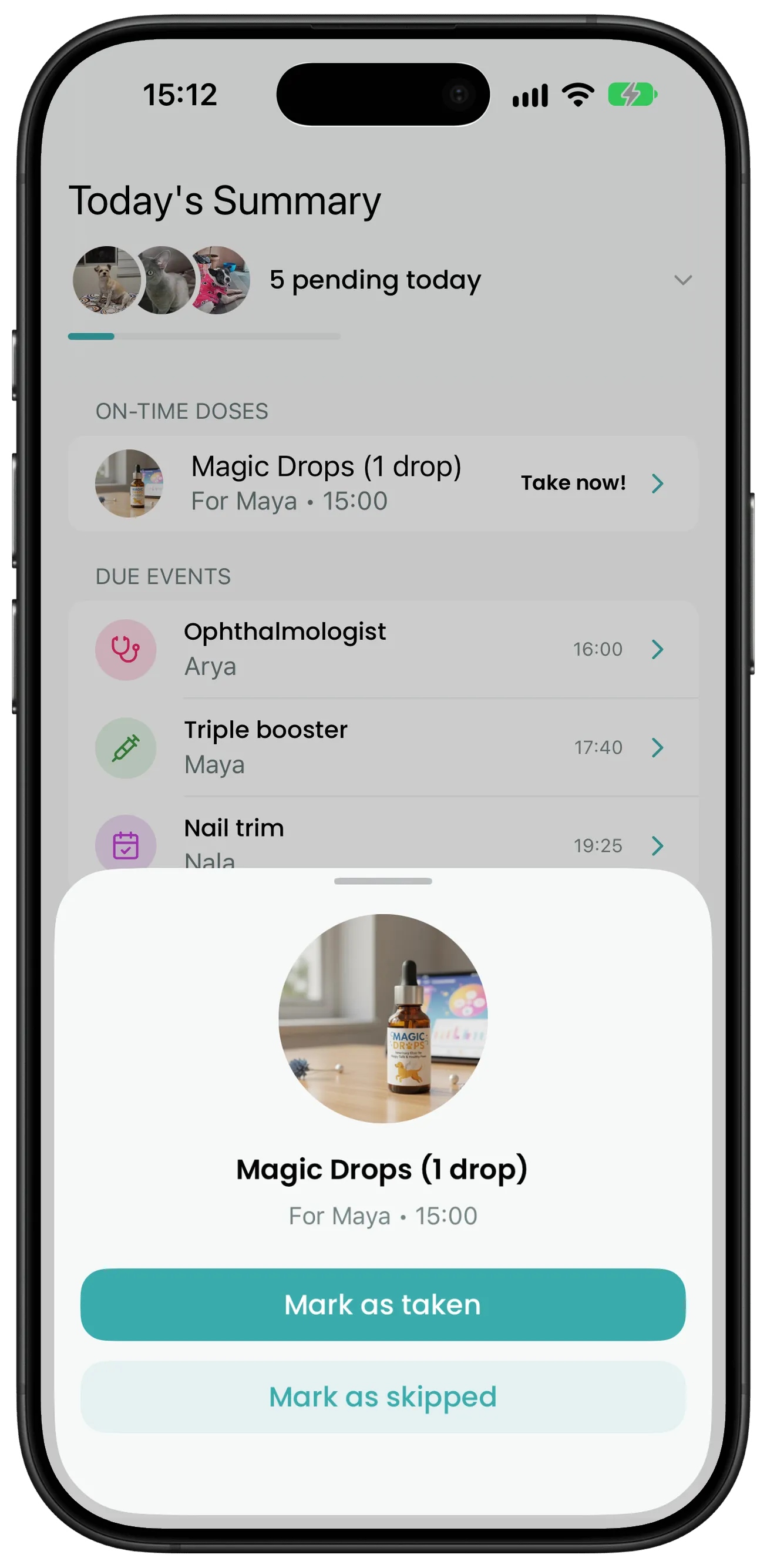
One tap. Dose done.
Mark a dose as taken or skipped and keep a timestamped record of the action.
Completed doses fade out of today’s list, while their status remains available in the treatment’s history.
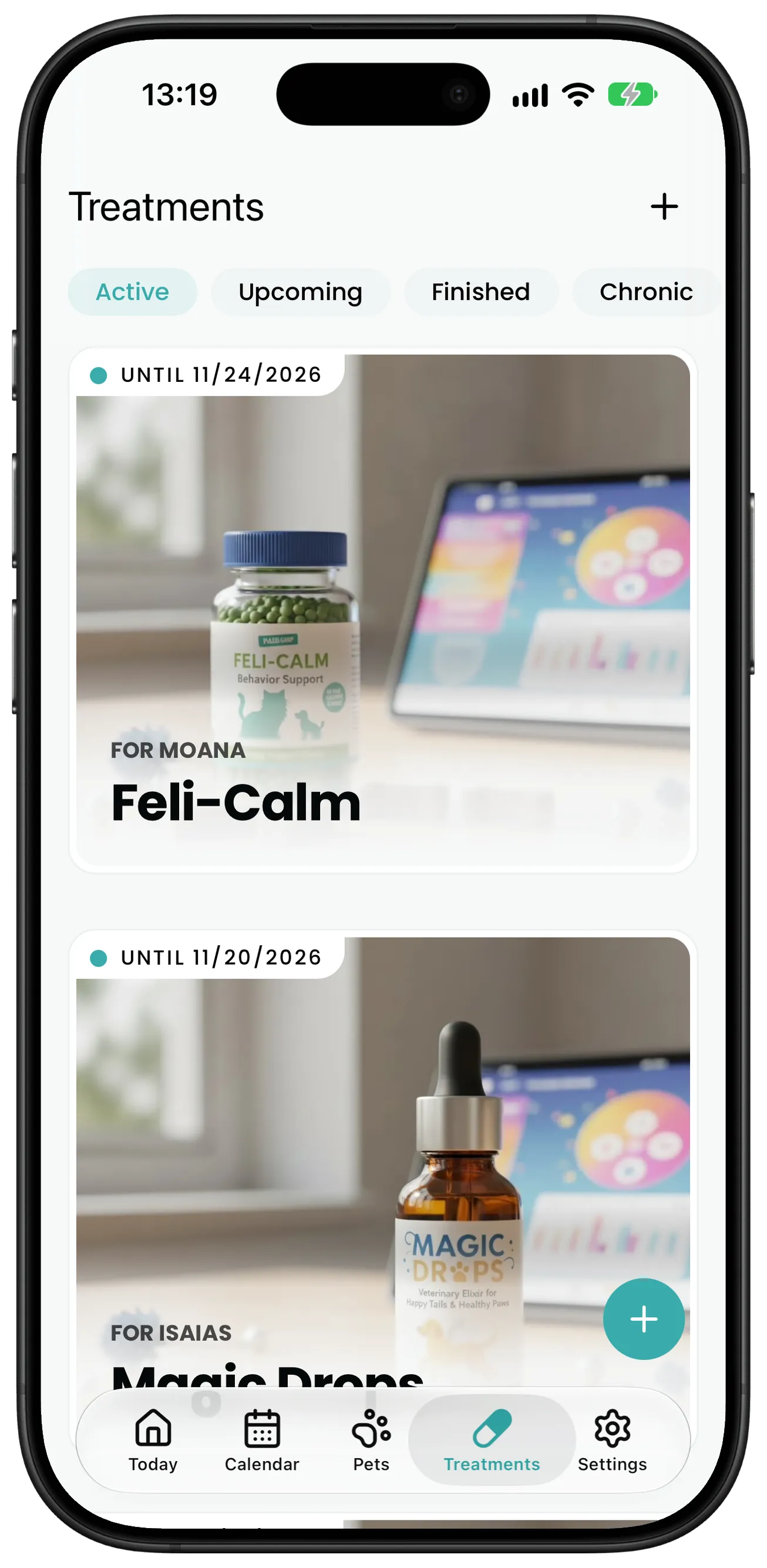
Find the treatment you need
Recognize medications by their photos and browse treatments by status: active, upcoming, finished, or chronic.
Open a treatment to check its dosage, schedule, and dose history. Larger photos collapse into the header as you scroll through the details.
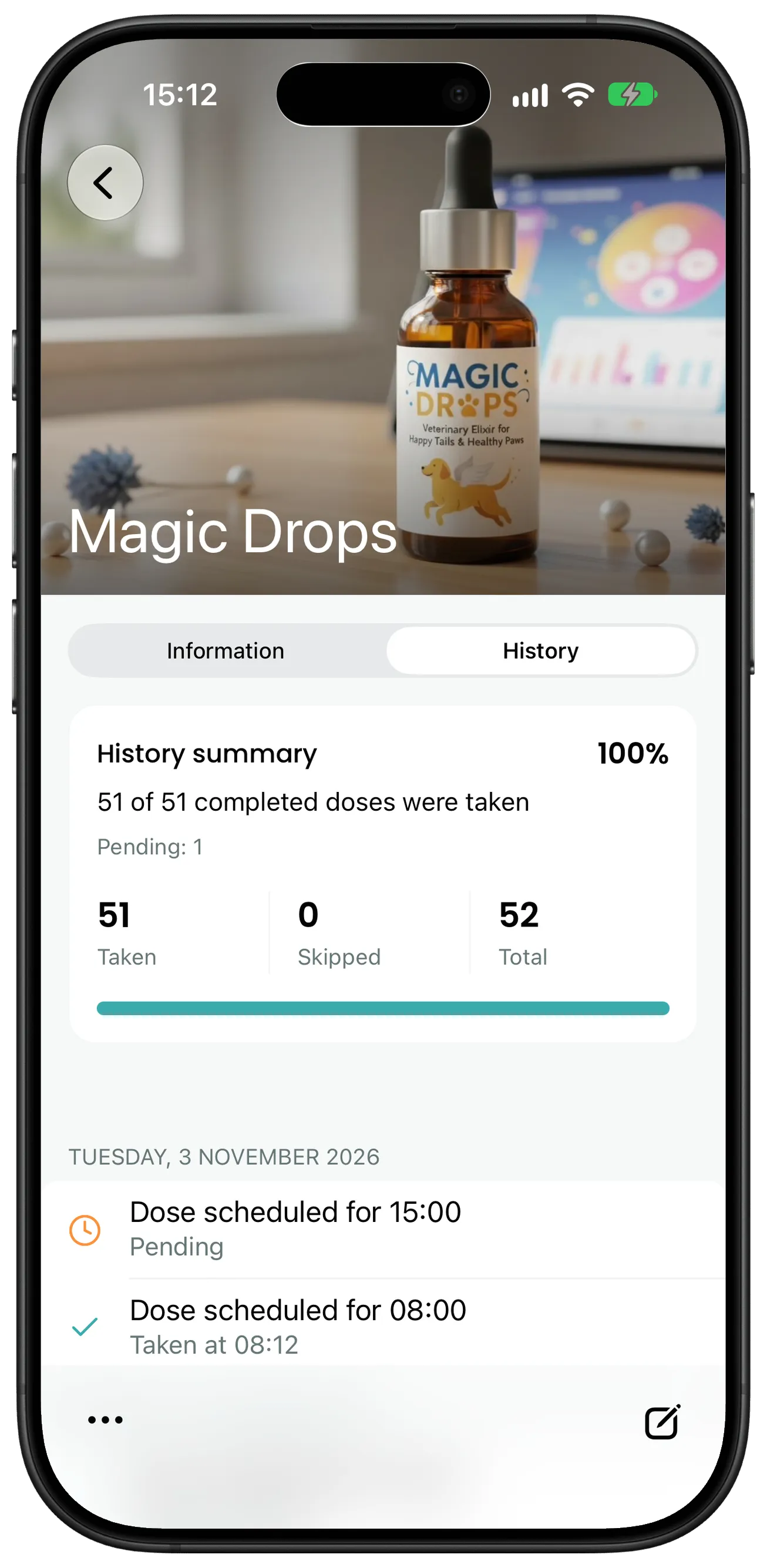
Review the dose history with your vet
See each treatment’s taken, skipped, and pending dose counts, along with its completion summary.
Review the dated dose history on your phone with your veterinarian when discussing how a treatment is going.
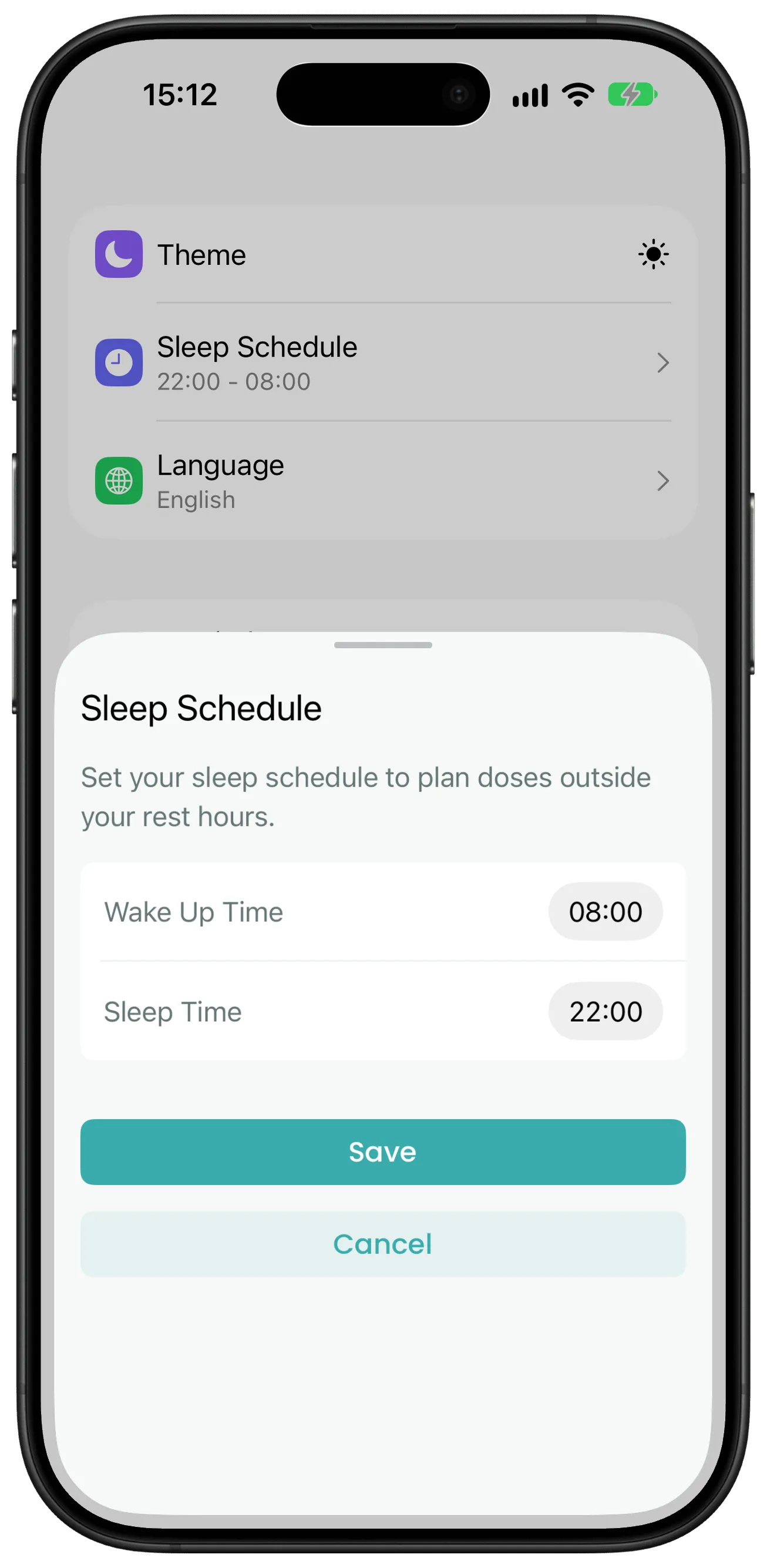
Suggested times you can adjust
Set your wake-up time and bedtime to guide Arya’s suggested dose times. For twice-daily schedules, it suggests 12-hour spacing when that fits within your waking hours.
Review and edit the times to match your veterinarian’s instructions. Sleep settings guide scheduling suggestions; reminders follow the dose times you save.
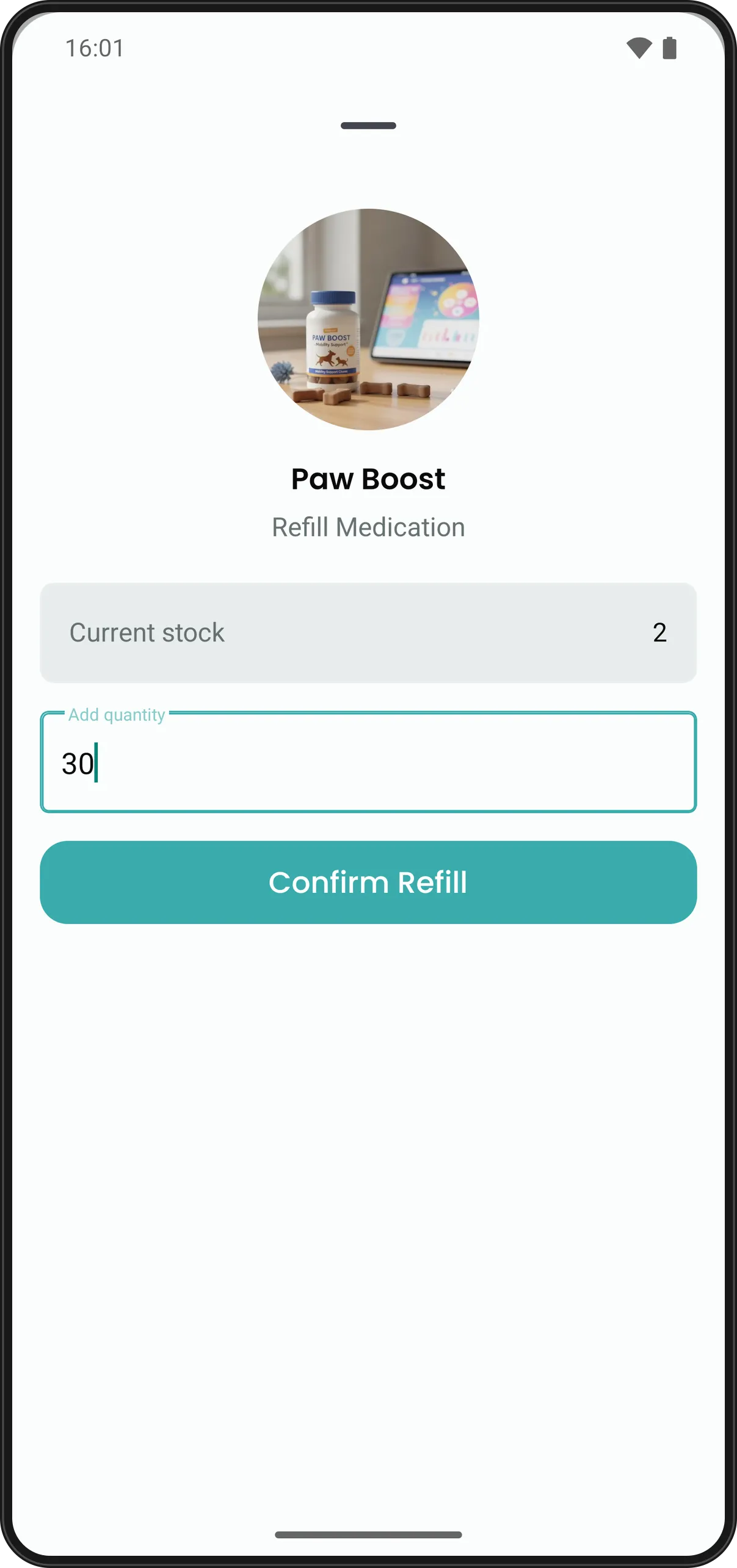
Keep track of your medication supply
Requires Premium
Enter the remaining stock, choose your low-stock threshold, and record refills when you replenish a medication.
With Premium, the low-stock alert appears as soon as recording a dose brings the remaining supply to the threshold you set.
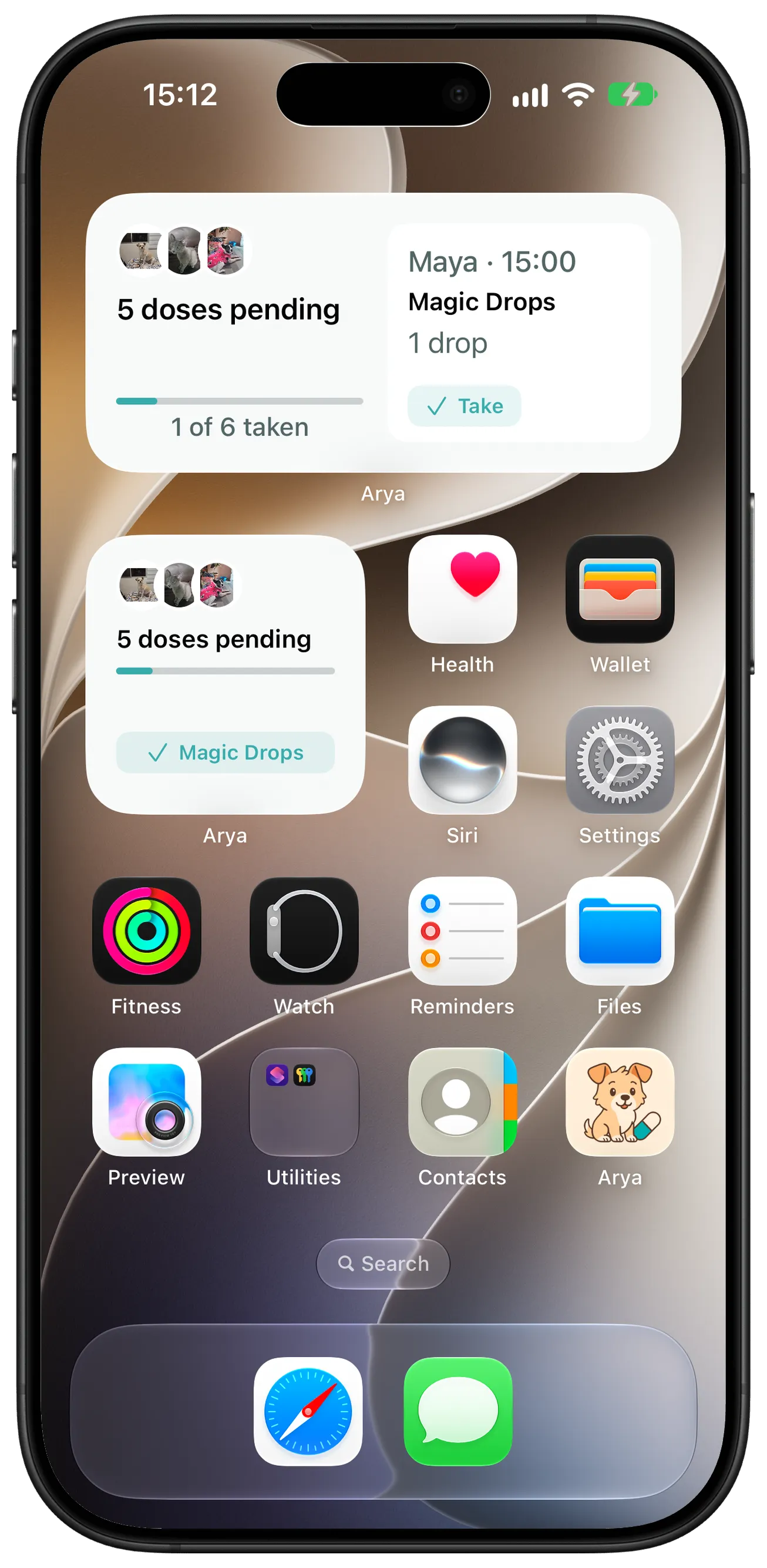
Record a dose from your Home Screen
Available on iOS only
Add Arya’s small or medium widget to your iPhone Home Screen to see pending doses and today’s progress.
Use the widget’s dose action to mark the most recent eligible dose as taken, without finding it in the list first.
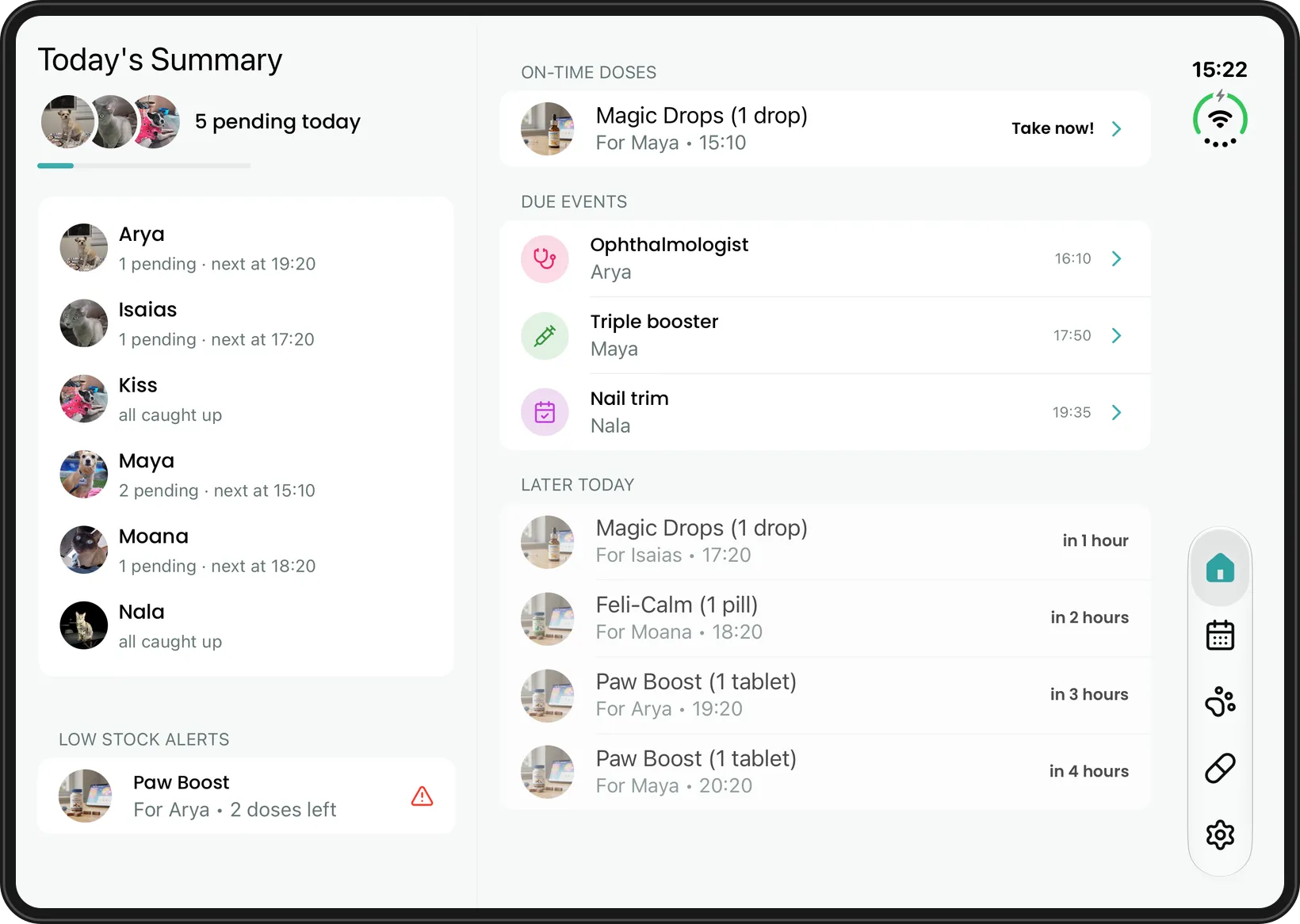
More room to see today’s care
On compatible foldable phones, open the display to see your daily summary beside the dose list. In the calendar, the month and the selected day’s agenda appear side by side.
Pet and treatment details also adapt to the wider display, keeping related information in view.